Clone 3D | Specialists in Industrial SLA, MSLA and FDM Printing. Over 10 Years Of Local Service & Local Printing in Auckland NZ
What a 3D file isn't:
A PDF with dimensions
A 2D cad drawing
(Images showing these)
File Naming Conversions
Having the quantity required at the beginning of your filename is a huge help. For example “x3_EndpartSlotl_v4_M2”
Are you sending a hollowed part? Including that in your filename also helps.
Example: “x3_hollow_EndpartSlotl_v4_M2”
What is the maximum file size allowed?
The maximum file size allowed on our Online 3D Printing platform is 60mb. In most cases, a correctly exported file should fall under 60mb.
Even the finest 3D Printing Process can only capture down to 0.01mm, so exporting your files in resolution any higher than that will not help with improving the end result.
Is combining multiple parts in a single file allowed?
Please avoid saving multiple parts in a single file, doing so might result in inaccurate pricing and a revised quote may be required.
Please also avoid spru-ing parts together to make “one part” this limits options for print orientation.
What file types are allowed?
Our Online 3D Printing platform can take in the most popular file formats such as STL, STEP or OBJ which can be easily exported in most CAD Software.
How strong is an SLA part?
SLA materials are largely isotropic once fully cured. Layers are chemically (covalently) bonded to one another during the SLA printing process, and so most SLA printed parts will have the same mechanical properties in each direction as opposed to FDM which has a substantially weaker ‘Z’ axis.
The strength and or durability of a part is influenced by its design and whether it incorporates sufficient reinforcement to withstand the intended stresses. If you supply information with your file using our quote server, we will get back to you with any concerns.
How to think about the type of strength you're after
Do you need the part(s) to:
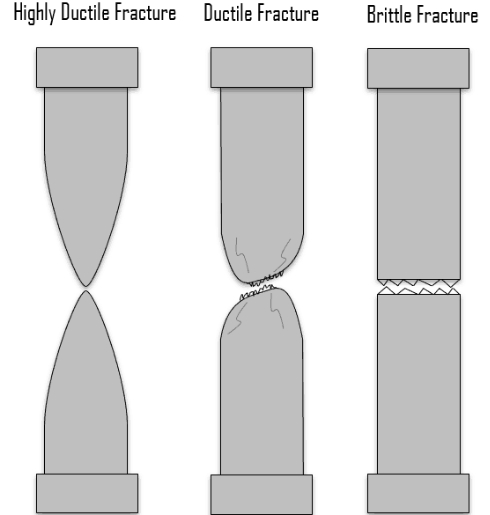
Stay rigid -minimal flex (more brittle) Slightly less rigid – bit of flex before break (less brittle)
Compression strength refers to a plastic’s ability to withstand forces attempting to compress or shorten it (ABS-Like, High Temp, PP-like)
Bending strength assesses the plastic’s resistance to deformation when subjected to forces that bend or flex it. (PP-like, to a certain extent ABS-like)
Torsional strength, on the other hand, gauges a plastic material’s ability to endure twisting or rotational stresses (PP-like)
Examples of when you may need particular types of strength
Vacuum moulds/ moulds/ Part required to be very rigid even when warm: High Temp
Prototype, visual model/ Part required to be rigid and accurate + look good ABS-like White
Prototype, visual model/ Part needs to have some flex and higher ductility, may need some clarity but can be painted. PP-Like